 User manual
User preferences
The "User preferences" dialog that can be opened via the "Help" menu of the main window allows to adjust atomes internal options for all projects to be opened in atomes workspace, configuration options include:
Analysis option
OpenGL rendering options
Model atom(s), bond(s), label(s) and model box options
Representation, projection, background, axis and selection options
As illustrated in the next pages it is possible to configure the default behavior of several parts of the software.
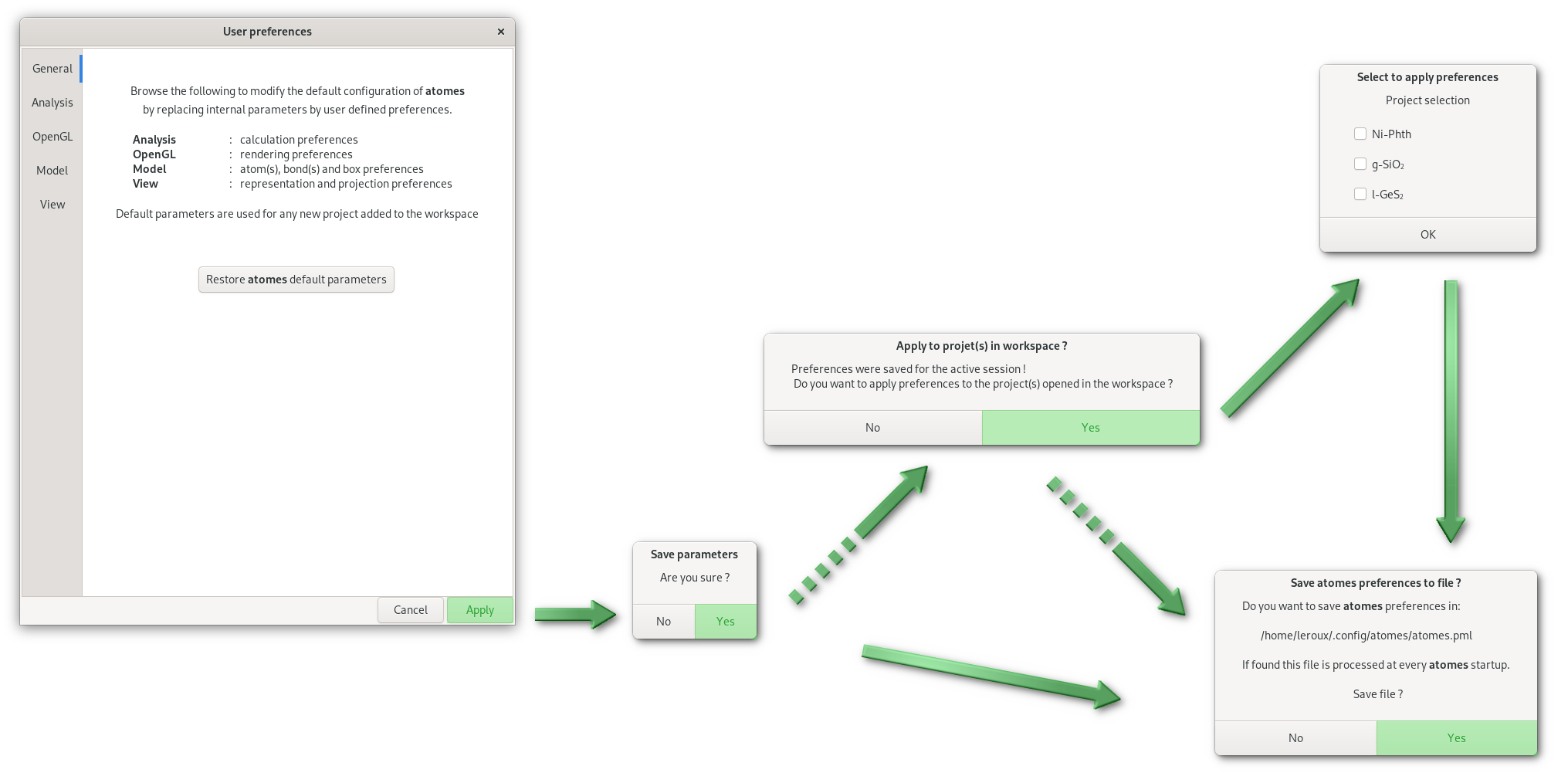
When clicking on "Apply", and after confirmation, the options defined in the "User preferences" dialog are applied to the active session of atomes. Afterwards options can be stored in a XML file named "atomes.pml" (which exact location depends on your operating system), if found this file will be process at every atomes startup to ensure for user selected options to be used. Optionaly if projects are opened in atomes workspace it is possible to apply selected options to any of these projects.
Note that you can restore atomes default internal parameters at any time from the "General" tab.